Keep what you love. Plant what’s missing.
Get an AI planting plan for your yard—and preview how it could look.
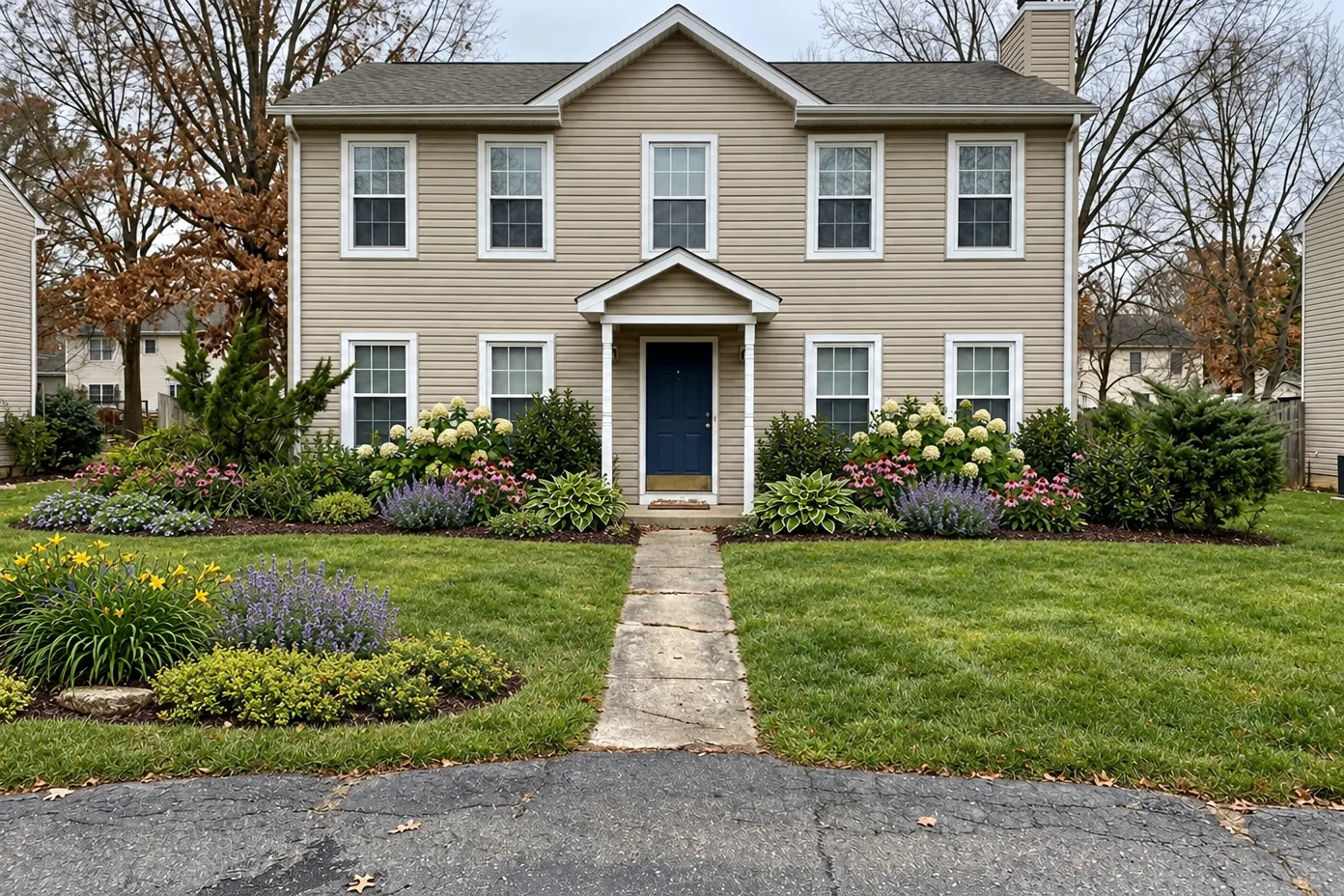
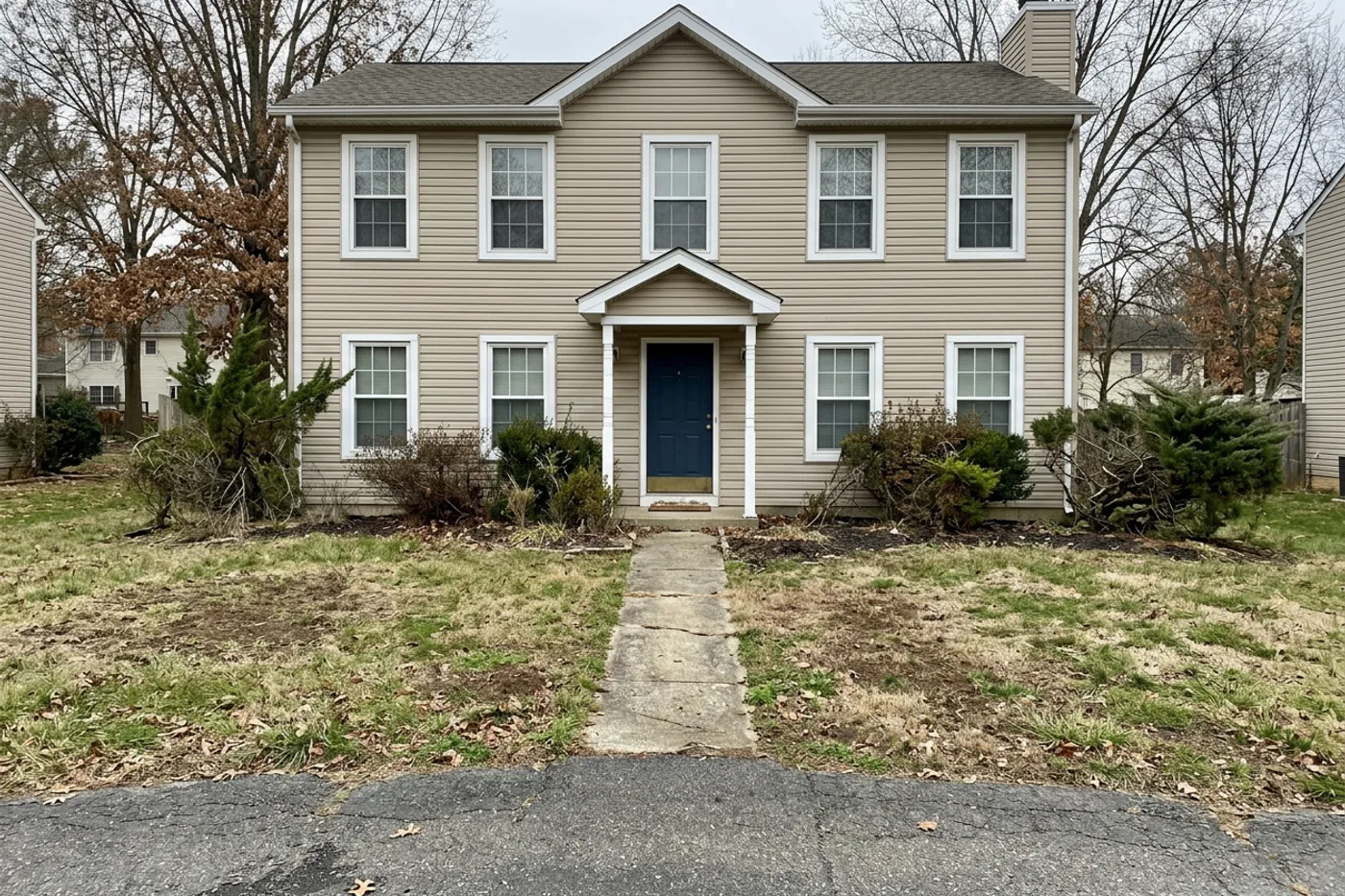
A picture shows the idea. The plan explains it.
The same yard, area by area — what changes, why, and what stays. Pick an area.
Foundation beds along the house front
- What changes
- Rework the foundation beds with mid-height shrubs and perennials.
- Why
- Refreshing the beds is your most important goal.
- Adds flowers along the front, toward your second goal.
- You allowed existing planting to change.
- What stays
- The house and its architecture
- The terrain and grade
New planting in place of the current shrubs and evergreens in these beds.
Planting fills a large share of the area, at moderate density.
Lawn to planting
- What changes
- Part of the front lawn becomes a new planting bed.
- What stays
- The house, trees, path and driveway stay out of the plan.
- Why
- The plan gives this area its own reasons and plant roles. This page shows them in full for Area 1.
Planting beneath the left evergreens
- What changes
- New planting under the evergreen trees on the left.
- What stays
- The house, trees, path and driveway stay out of the plan.
- Why
- The plan gives this area its own reasons and plant roles. This page shows them in full for Area 1.
Right-side evergreen and lawn
The plan lists this area and leaves it as it is.
The rest of the yard
The plan lists this area and leaves it as it is. It covers the rest of the yard, so there’s no single spot to mark.
You decide what can change.
Your lawn and your existing beds are the only things a plan can touch, and only if you say so. The house, trees, paths, driveway and the lie of the land stay out of the plan.
Change one thing. Keep the rest.
Every plant choice and every refinement is saved as a new version.
Visual Concept · v1A plan for five areas, and a picture of it.
- Three areas get new planting; two have no new changes.
- Each changed area comes with its reasons and the plant roles for it.
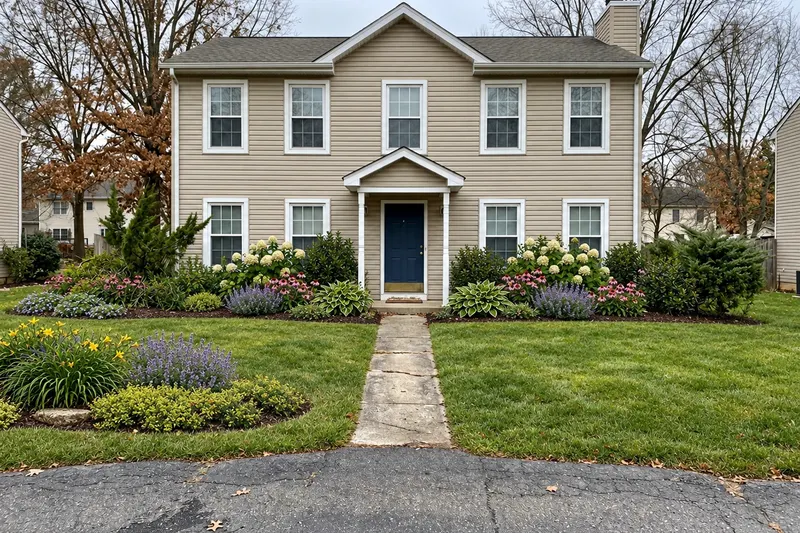 No new picture — the v1 Visual Concept still applies to this version.
You pick a plant. The plan saves it; the picture stays as it was.
- Threadleaf coreopsis chosen for Area 1’s main perennial drift.
- Saved as Design v2. No new picture is made — the v1 picture still applies.
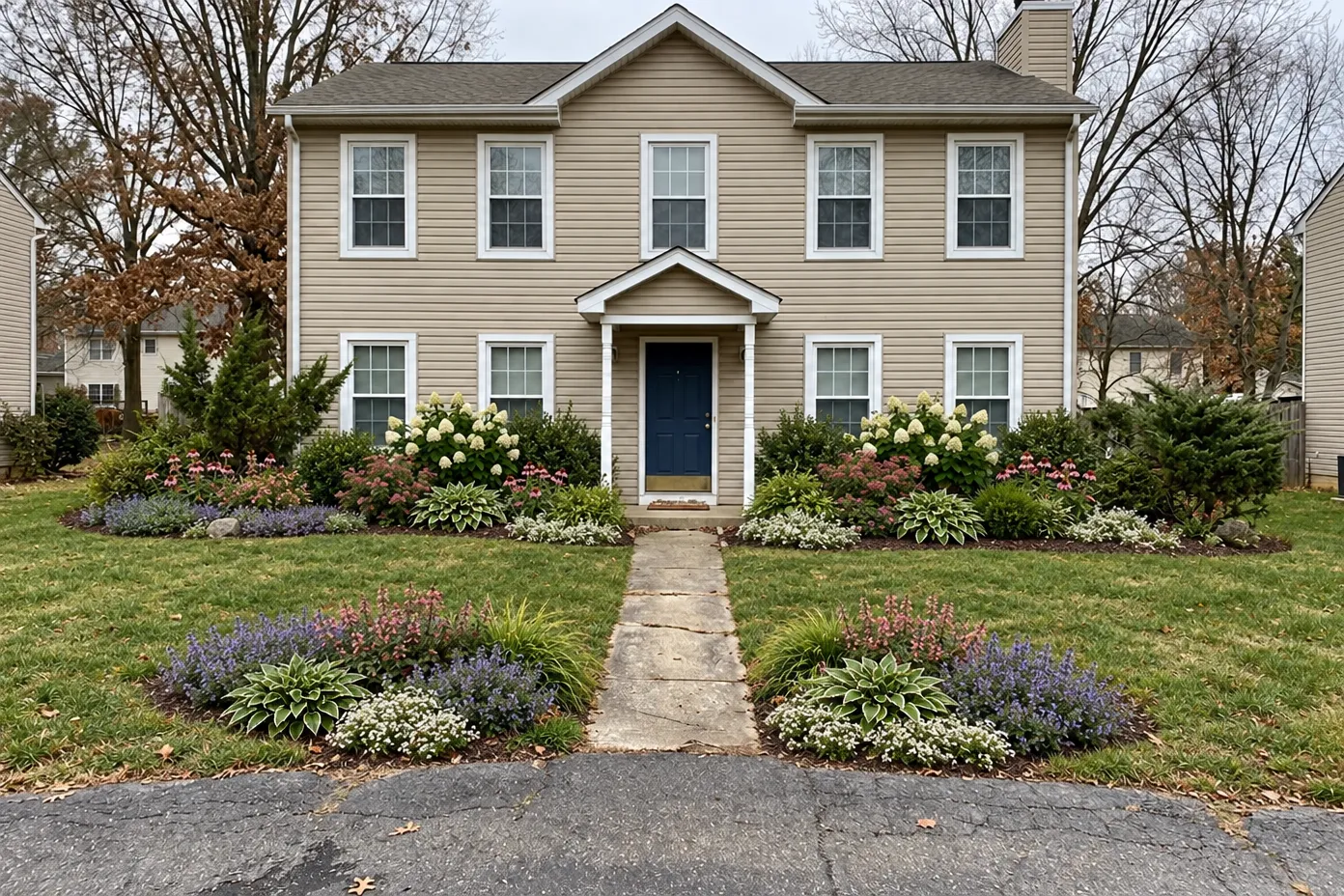 New Visual Concept · v3
“Smaller plants” in Area 1 — then a new picture.
- Area 1’s shrubs go from 3–6 ft to 1–3 ft, with low perennials in front.
- The coreopsis picked in v2 no longer fit the lower planting, so it was cleared instead of kept by mistake.
- A new Visual Concept shows the lower planting.
Take the plan to the nursery, or to whoever does the work.
Projects are saved to your account. Share a read-only link to your yard brief — you choose whether it shows your photo and the picture, and you can stop sharing at any time.
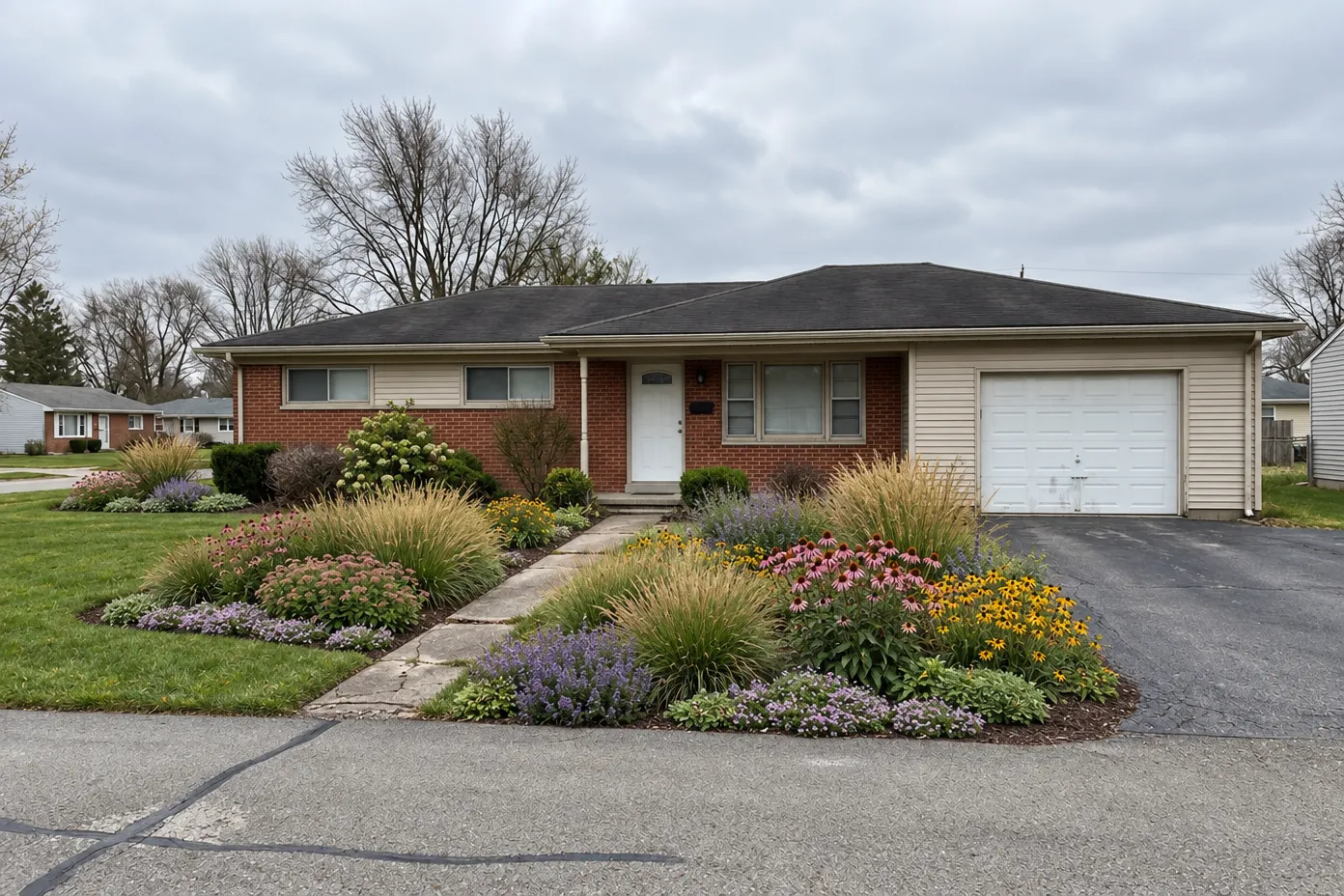
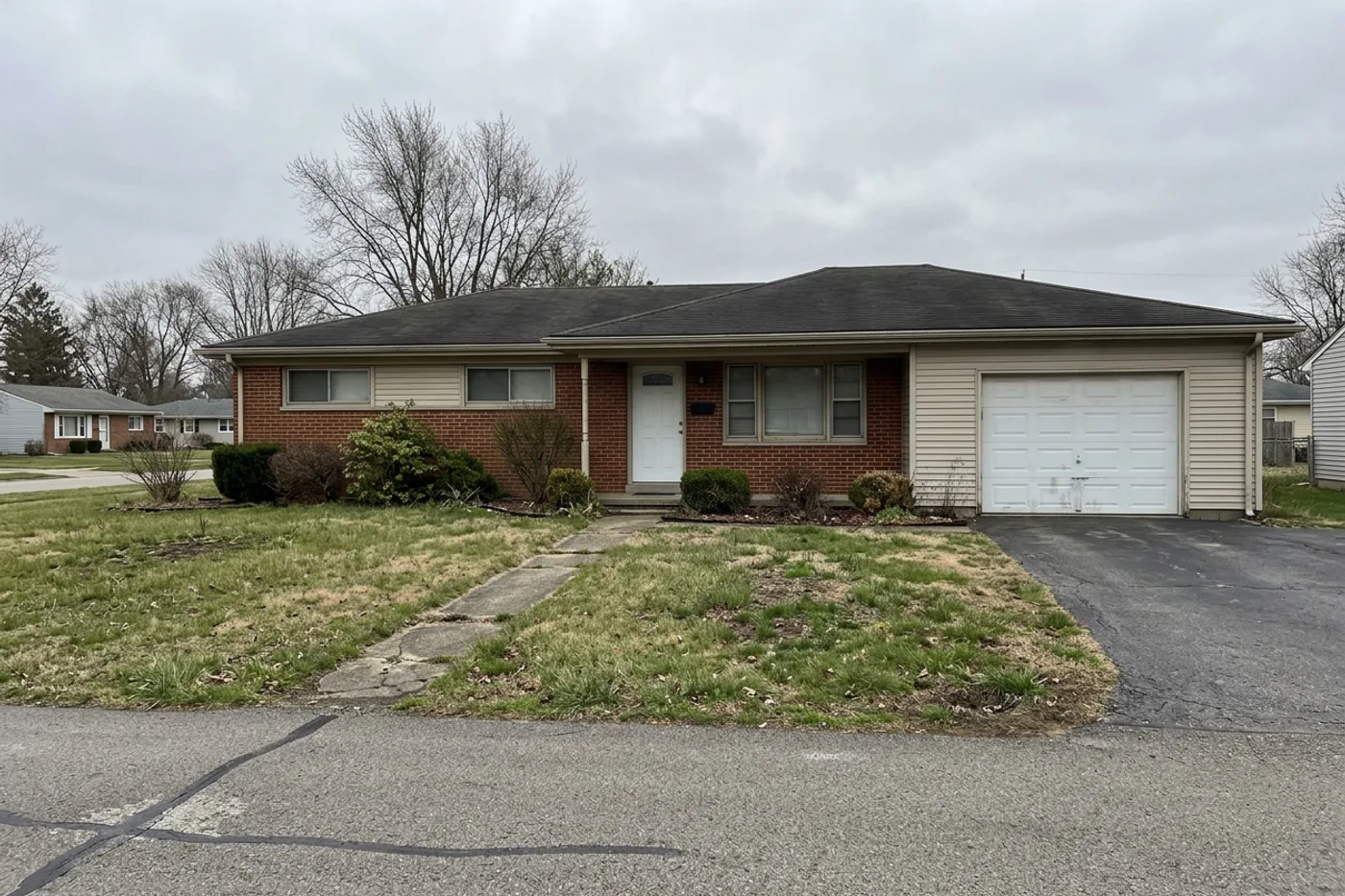
Kept every shrub. Planted the lawn’s edge.
Four areas. The shrubs along the house stay; part of the lawn becomes grasses and perennials.
Try a full round on your own yard.
Get a plan, see it as a picture, change one area, and see it again — free while we’re in Beta. Sign-in required, no card.
- A new account gets 6 units, once, when you create your first plan.
- A plan or a refinement uses 1; a Visual Concept uses 2 — so 6 covers that round.
- Choosing plants, saving and sharing don’t use units. If a plan or a picture fails, its units come back.
- Paid plans are paused during the Beta — there’s nothing to buy.
What homeowners ask first.
What do I get?
A planting plan for your own yard, made for homeowners who want to replant what they have, area by area: what changes in each area and why, what stays, and plant roles with suggested plants — matched to your location, sun and soil moisture when you give them — plus a list of things to confirm on site. You can add a Visual Concept, an AI illustration of the plan on your photo. Then you can choose plants, refine one area at a time (each change is saved as a new version), reopen your projects later, and share a read-only link to your yard brief that you can stop sharing at any time.
Will it change my house?
The plan covers planting only: your lawn and your existing beds, and only where you say they can change. The house, trees, paths, driveway and terrain are left out of the plan, and patios, fences, walls and lights are not redesigned. The Visual Concept is an AI illustration and can get details wrong, so treat the plan as the record and check it against your yard.
Is it free?
Yes, during the public Beta. Sign in (no card) and a new account gets a one-time free allowance of 6 units, enough for a first plan with its Visual Concept, then one area refinement with a new Visual Concept. Choosing plants, saving and sharing do not use units, and saved work stays available when they run out. Paid plans are paused during the Beta; if you already subscribe, your plan continues and you can manage it from your account.
Do I need an account?
Yes. Plans are saved to a free account so you can come back to them — sign in with an email link or with Google. Designs you made with our earlier studio stay viewable there too.
What photos work best?
One clear, straight-on photo of your yard in daylight — front yard, backyard, patio or side yard. Avoid heavy shadows and extreme angles. No photo handy? You can start from a sample yard.
Will the plants suit where I live?
Give your location, sun and soil moisture and the plant suggestions are matched to them. Plant information shows where it comes from. When nothing in our plant list fits a role at your conditions, the plan leaves that role open and suggests asking a local nursery. Confirm names and quantities with your nursery before you buy.
Is it a construction plan?
No. It is a planting plan — what goes where and why — not a construction or permit document. Check it against your yard, and with a local nursery before you buy. On steep ground a Visual Concept can show terracing or walls that are not there; the plan does not cover engineering, drainage or permits.
Keep what you love. Plant what’s missing.
Free to try · Sign-in required · No card